Pelli, home
  • Pricing
  • Examples
  • About
Log inTry for free
Log inTry it

Galleries and delivery

  • Client galleriesProofing, delivery, HD
  • Face sortingEvery guest finds their photos
  • Live galleryFTP upload straight from the camera
  • Lightroom pluginBetaPublish from Lightroom Classic
  • Series & QR codesHundreds of galleries at once
  • Express TransferLarge files, in your branding

Admin and invoicing

  • Quotes, contracts & invoicesSigned and paid online
  • Online bookingClients book on their own
  • Calendar syncGoogle, iCloud, Outlook
  • CRMOne profile per client
  • StatisticsViews, likes, downloads

Sales and visibility

  • Shop & printsSell right from the gallery
  • Gift cardsSessions to give as gifts
  • WebsiteConnected to your galleries
  • Email & SMS campaignsBring clients back
  • Google reviewsHappy clients recommend you
Create an $800 quote for Marie — portrait sessionQuote · QT-2026-0007ClientMariePortrait session$800.00Ready to sendIris, AI assistantBy your side for every task: she answers your clients, drafts your quotes and gives you advice.Meet Iris
NewRetouching requests, right on the photoDiscoverPhoto shop or film lab?Discover PelliLabsAll features

Free tools

Pelli InstantAI photo culling for Mac and Windows

Calculators

  • Sun Calculator
  • Spot Finder
  • Price Calculator
  • DOF Calculator

Templates

  • Quote template
  • Invoice template
  • Contract template
All free tools

Discover

  • BlogTips for photographers
  • ComparisonsPelli vs the alternatives

Support

  • Help centerStep-by-step guides and FAQ (opens in a new tab)
  • Discord communityTalk with other photographers (opens in a new tab)
  • Service statusLive service availability (opens in a new tab)
  • Contact usQuestions? Write to us
RoadmapWhat's new and what's coming to PelliSee the roadmap (opens in a new tab)

Site language

  • FrançaisFR
  • English
  • DeutschDE
  • EspañolES
  • ItalianoIT
  • NederlandsNL
  • PolskiPL
  • PortuguêsPT
  • SvenskaSV
  • Pricing
  • Examples
  • About
Iris, AI assistantBy your side for every task: she answers your clients, drafts your quotes and gives you advice.Meet Iris

Galleries and delivery

  • Client galleriesProofing, delivery, HD
  • Face sortingEvery guest finds their photos
  • Live galleryFTP upload straight from the camera
  • Lightroom pluginBetaPublish from Lightroom Classic
  • Series & QR codesHundreds of galleries at once
  • Express TransferLarge files, in your branding

Admin and invoicing

  • Quotes, contracts & invoicesSigned and paid online
  • Online bookingClients book on their own
  • Calendar syncGoogle, iCloud, Outlook
  • CRMOne profile per client
  • StatisticsViews, likes, downloads

Sales and visibility

  • Shop & printsSell right from the gallery
  • Gift cardsSessions to give as gifts
  • WebsiteConnected to your galleries
  • Email & SMS campaignsBring clients back
  • Google reviewsHappy clients recommend you
NewRetouching requests, right on the photoPhoto shop or film lab?Discover PelliLabsAll features

Free tools

Pelli InstantAI photo culling for Mac and Windows

Calculators

  • Sun Calculator
  • Spot Finder
  • Price Calculator
  • DOF Calculator

Templates

  • Quote template
  • Invoice template
  • Contract template
All free tools

Discover

  • BlogTips for photographers
  • ComparisonsPelli vs the alternatives

Support

  • Help centerStep-by-step guides and FAQ (opens in a new tab)
  • Discord communityTalk with other photographers (opens in a new tab)
  • Service statusLive service availability (opens in a new tab)
  • Contact usQuestions? Write to us
RoadmapWhat's new and what's coming to Pelli (opens in a new tab)
Try free for 15 days
Log in

Site map

Free guide

Client galleries that make a difference

Free guide included

Our tips, plus a free guide.

Get our guide to making the most of your client galleries, then 2 emails a month: Pelli news and stories from our users.

No spam. Unsubscribe in one click.

Tips and news

All articles →
  • ArticleWedding photographers: guide photo selection for the final album
  • ArticlePixieset vs Pic-Time: compare galleries, CRM and the Pelli alternative
  • ArticleSelling photo albums to clients: build an offer after the session
Pelli, home

Your entire photography business, all in one place.

  • Hosted in France
  • GDPR compliant
  • E-invoicing
Service status(opens in a new tab)Discord community(opens in a new tab)

Product

  • Client galleries
  • Lightroom plugin
  • Series & QR codes
  • Quotes & invoices
  • Booking
  • Iris, AI assistant
  • ChatGPT & Claude
  • Website
  • Marketing
  • Express Transfer
  • Gift cards
  • Pricing

Who it's for

  • Wedding photographers
  • Family photographers
  • Portrait photographers
  • Event photographers
  • Maternity and newborn
  • Boudoir photographers
  • Corporate photographers
  • Studios and agencies
  • Photo shops and film labs

Resources

  • Help center(opens in a new tab)
  • Blog
  • Free tools
  • Pelli Instant
  • Examples
  • Roadmap(opens in a new tab)

Compare

  • Pelli vs Pixieset
  • Pelli vs Fotostudio
  • Pelli vs Pic-Time
  • Pelli vs WeTransfer
  • All comparisons

Company

  • The team
  • A French solution
  • Migration offer
  • Referral program
  • Contact us

© 2026 Pelli · Brest, France

  • Legal notice
  • Terms of sale
  • Terms of service
  • Privacy
Galleries and deliveryLive gallery
Included in every plan

You shoot, the gallery fills up.

Your camera sends its photos over FTP during the shoot. They land in your Pelli gallery as you go, ready to share.

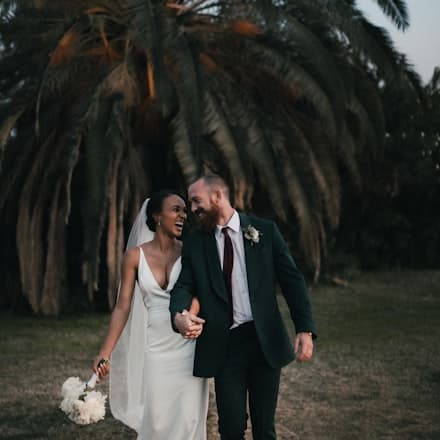
Try free for 15 daysExplore Pelli galleries
4.6/5 · verified reviewson Trustpilot (opens in a new tab)
app.pelli.io

Galleries

Camille & Hugo

FTP upload on
Ceremony · 142

Arrived during the shoot

  • DSC_0418.JPGReceived 3:42 pm · FTPNew
  • DSC_0417.JPGReceived 3:42 pm · FTP
  • DSC_0416.JPGReceived 3:41 pm · FTP

Camera FTP settings

Server
ftp.pelli.io
Port
21
Mode
Passive
Username
studio-martin.ch

142 photos sent

Pelli at a glance

  • 9,000+ photographers and videographers

  • 4.6/5 on Trustpilot

  • Photos hosted in France

  • A team that gets back to you

During the shoot, your photos make their own way.

No need to wait until you're back at your desk to fill the gallery. Here's what happens between the shutter and the share.

  1. Step 1 of 3 · You shoot

    Every photo leaves the camera.

    Your camera sends its photos over FTP, using its Wi-Fi or a transmitter. Rather sort first? Send from software on your computer, with the same settings.
    Publish from Lightroom instead→
    Connectedftp.pelli.io
    FTP upload117 / 142
  2. Step 2 of 3 · They arrive

    Photos land in the gallery during the shoot.

    You watch the images come into Pelli as they upload. With a gallery's own login, everything goes straight into that gallery, with nothing to file by hand.
    app.pelli.io

    Arrived during the shoot

    Via FTP
    • DSC_0418.JPGReceived 3:42 pm · CeremonyNew
    • DSC_0417.JPGReceived 3:42 pm · Ceremony
    • DSC_0416.JPGReceived 3:41 pm · Ceremony
    • DSC_0415.JPGReceived 3:41 pm · Ceremony

    142 photos received since the shoot began

  3. Step 3 of 3 · You share

    The link is ready before the shoot ends.

    Share the gallery by link, by email or with its QR code, whenever suits you. Your clients see every photo that has already arrived as soon as they open it.
    Everything a Pelli gallery does→
    app.pelli.io

    Share the gallery

    studio-martin.pelli.io/camille-hugoCopy

    Gallery QR code

    Show it on site or print it as an A4 poster.

Connectedftp.pelli.io
FTP upload117 / 142
app.pelli.io

Arrived during the shoot

Via FTP
  • DSC_0418.JPGReceived 3:42 pm · CeremonyNew
  • DSC_0417.JPGReceived 3:42 pm · Ceremony
  • DSC_0416.JPGReceived 3:41 pm · Ceremony
  • DSC_0415.JPGReceived 3:41 pm · Ceremony

142 photos received since the shoot began

app.pelli.io

Share the gallery

studio-martin.pelli.io/camille-hugoCopy

Gallery QR code

Show it on site or print it as an A4 poster.

Ready in four steps, set up just once.

You configure it once and for all, in Pelli and then on your camera or in your software.

  1. 1

    Turn on FTP

    In Pelli, open Settings, then Advanced and the FTP tab. Turn access on and choose your password.
  2. 2

    Choose where photos go

    One login for all your galleries, or a username for a single gallery so everything lands straight in it.
  3. 3

    Copy the settings

    One button copies server, port, mode, username and password in one go. All that's left is to paste them.
  4. 4

    Paste and start shooting

    Enter these details in your camera's FTP menu or in your software. Photos leave as soon as you take them.

One subscription instead of 7. Nothing left out.

The tools you pay for one by one are already together in Pelli. Up to €2,676 less per year.*

Bring it all into Pelli

Already subscribed elsewhere? Up to 6 months free

What Pelli replaces

  • Delivery galleries€34/moIncluded
  • Website€25/moIncluded
  • Quotes and invoices€41/moIncluded
  • CRM€40/moIncluded
  • File transfer€17/moIncluded
  • Campaigns and Google reviews€41/moIncluded
  • AI assistant€40/moIncluded
7 subscriptions€238/mo

Everything you need to deliver fast. All included.

In every plan, unless stated otherwise.

  • FTP upload from your camera or software
  • FTP login for a single gallery
  • Browser upload, whole folders at once
  • Publishing from Lightroom Classic
  • Folders and drag-and-drop sorting
  • Passwords per gallery and per folder
  • Share by link, email or QR code
  • Full-resolution and ZIP downloads
  • Gallery statisticsLite
  • Face sorting and smart searchUltra
  • Photo sorting with QR cardsUltra
  • Unlimited galleriesPro
Photos sent over FTP count toward your storage, from 1 GB on Free to unlimited on Ultra. Compare plans

Frequently asked questions

Is FTP upload included in my plan?

Yes, in every plan, including Free. Only QR card sorting, which can also run over FTP, requires the Ultra plan.

What is FTP?

A standard way to send files to a server. Many cameras and apps support it. You enter an address, a username and a password, and your photos send themselves.

Which cameras work?

Any camera that can send over FTP, using its Wi-Fi, a network cable or a transmitter. Otherwise, use an FTP app or your photo software's FTP export from your computer.

Does the gallery update by itself for my clients?

Photos land in the gallery as they upload. Your clients see the ones already there when they open the gallery, and the newer ones when they reload it.

Can I send straight into a specific gallery?

Yes. Pick a gallery in the FTP settings to get its username. Everything you send with it lands in that gallery. A short name makes it easier to type on a camera.

Is my FTP access protected?

Yes. Access stays off until you turn it on, and it requires a password you choose. You can generate a new one at any time.

Do photos sent over FTP count toward my storage?

Yes, just like browser uploads. Storage ranges from 1 GB on Free to unlimited on Ultra.

Your next gallery, filled during the shoot.

15 days to try everything, no credit card required.

Try free for 15 days

No commitment · Photos hosted in France